Using task-ui
task-ui runs what your source trees declare, and lets everyone watch it run. This guide walks through the screen the way the sidebar lists it: the whole first, then one chapter per section, top to bottom.
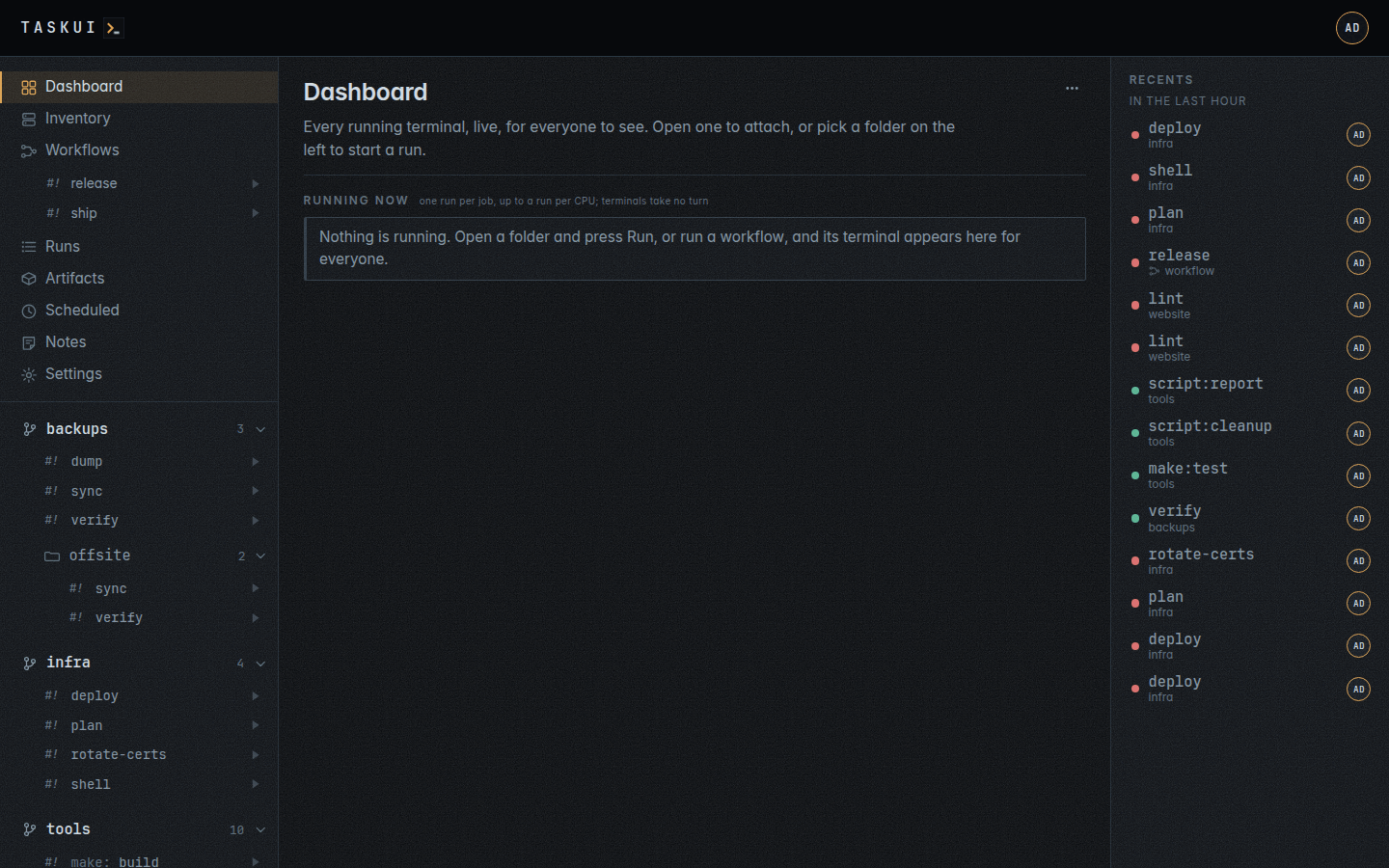
The screen
The page has three parts.
- The header. The name goes home to the dashboard. With Allow Edits on Prompts,
prompt/edit, a prompt field follows it: Enter asks Claude about the page you are on, and the logo opens and closes the panel with Claude’s reply (see the prompt); without it, the logo goes home too. Your initials, on the right, open the user menu: who you are, your role, Profile, with your activity, folders, permissions and MCP access, SSH keys, Settings with the view permission of any of its sections, and Logout. On a phone a menu button on the left opens the sidebar as a drawer. - The sidebar. Everything you can open, in a fixed order:
- the views across all folders: Dashboard, Inventory, Workflows (with the workflows listed under it), Runs, Artifacts, Scheduled and Notes, then a row per module the instance found. Settings, Sidebar orders this block and hides a row of it;
- the projects, each with its jobs and the folders inside it, as a tree: first those at the top of the root, in the default workspace
internal, then each named workspace, in its order, with the projects cloned inside it folded under its own row.
- Recents, on a wide screen, a rail on the right: the latest runs and workflow runs by anyone. A narrower screen leaves it out; Runs lists the same runs.
- The page. What you opened in the sidebar. A run you start or attach to opens in a window over the page: a terminal on the run, which you close without ending the run.
Three ideas carry the rest of the guide.
- A job is a target a folder declares: an atkins or Taskfile job, a Makefile target, a package script, a file under
scripts/. task-ui reads the files and lists what they declare; task-ui itself never edits them, though a job or a Claude run may change files when asked. - A run is a job running on the server, on a terminal of its own. It belongs to no window: anyone allowed attaches to it, and it goes on when you close every window. One job runs once at a time across the instance; different jobs run side by side, and so do the prompts to Claude, as many at once as the machine has CPUs, the rest waiting queued in order. A terminal takes no turn.
- A role decides what you can do, with each user’s own policy on top. Viewers watch and read history, runners start the jobs the allow lists let them, and admins may do everything; what each role may do is in Settings, Permissions.
Every list marks a job, a workflow or a run with #!: faint until it has run, then in the colour of how it last ended, green for ok and red for failed or killed, and pulsing amber while it runs.
Chapters
| Chapter | The sidebar section | What it covers |
|---|---|---|
| Dashboard | Dashboard | The terminals running now |
| Inventory | Inventory | The hosts Beszel monitors, and commands run on them at once |
| Workflows | Workflows, and the list under it | Chains of jobs, run with one button |
| Runs | Runs | The run window, the history, a run’s page and its output |
| Artifacts | Artifacts | Files the runs leave behind |
| Scheduled | Scheduled | Jobs on a cron expression |
| Notes | Notes | Messages, replies, and instructions to the agent |
| Modules | A module’s row | The plugins written in PHP, and the refinement module |
| Projects and jobs | The tree of projects, folders, jobs | Folders, the conventions, the git line, skills, Enter Shell, the prompt, a job’s page, moving a project, pulls, keys, hours |
| Workspaces | A workspace’s row, its projects under it | Shared tooling, skills, cloning into one, keys, secrets, export and import, what it keeps apart, the prompt |
| Recents | Recents | The latest runs, by anyone |
| Settings | The user menu, Settings | Projects, workspaces, users, secrets and env, SSH keys, integrations |
| MCP | Tokens, and the tools an agent runs jobs with | |
| Screenshots | Every view, in both themes and on a phone |
Beside the guide:
- Running the server: the Docker image, the environment variables, the password file and the server commands;
- API: the JSON endpoints and the MCP server;
- Security: the threat model, identity and roles, keys, secrets, terminals and agents, with the findings of a review;
- Development: the packages, the lint and test bar, and the screenshots;
- The front end’s shared markup: the behaviour a page gets by writing an attribute, the run status label among it;
- Modules: writing a plugin in PHP, the bindings and what the runtime refuses;
- Corrections: where the PHP runtime lacks what the module system needs;
- Sitemap: every page, its lists, actions, forms and empty lines;
- Testing: the unit tests of the default run, the integration tests behind a build tag, and a module’s PHP under
phpscript test.